
June 1, 2026
Version 2026.06.01
1 min read
Image Review and Video Review
QA review pages now make it easier to inspect session images and validation videos, follow the full session, and leave clear review marks.
Vision
QA Validation
Images
Videos
This update brings a clearer review experience for both QA session images and validation videos. The goal is simple: make it easier to move through a session, understand what the device saw, and leave helpful review marks without losing context.
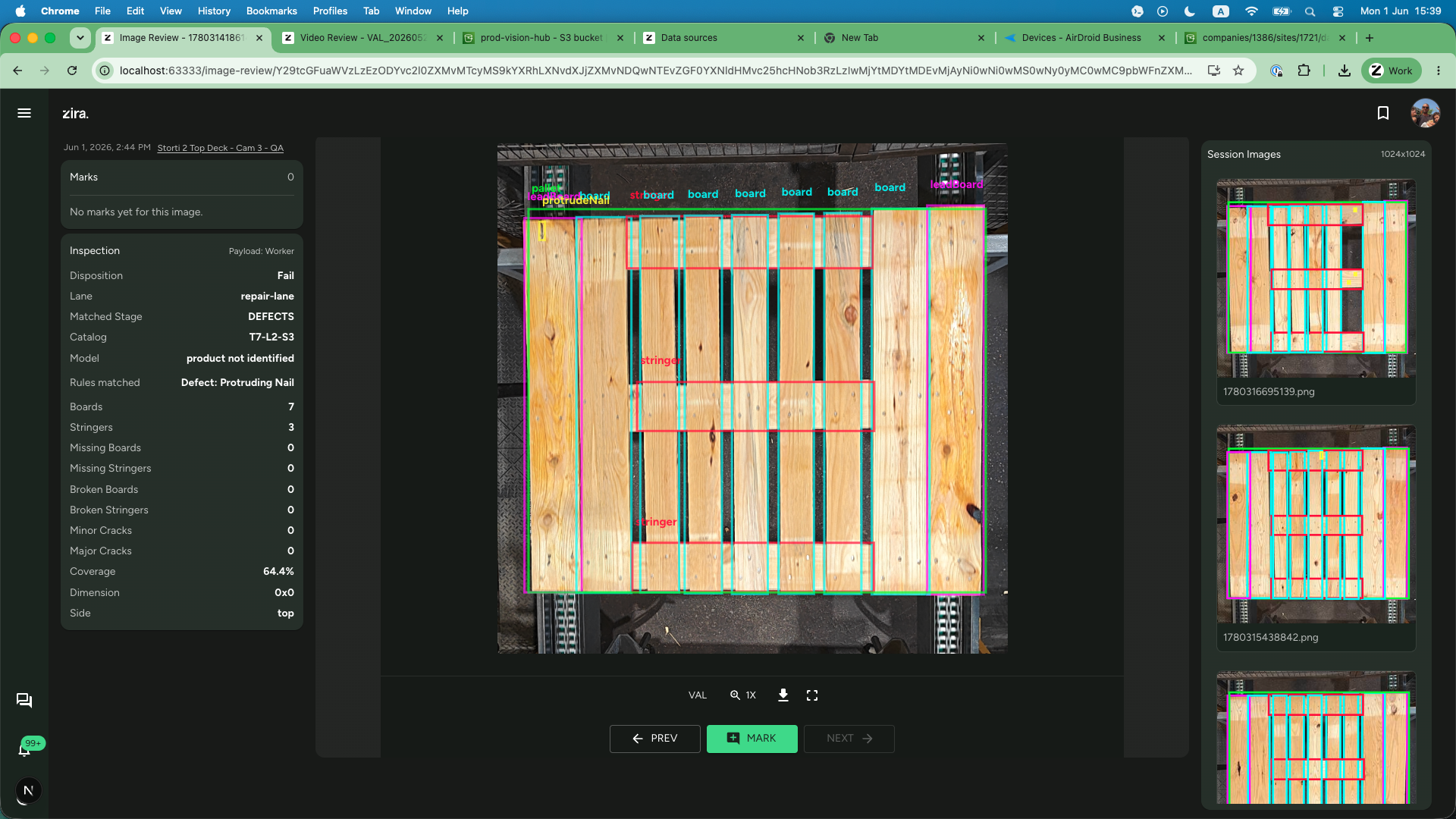
Image Review is ready for QA sessions
- QA session images now open in a dedicated review page.
- The page keeps the current image in the center, the marks and inspection summary on the left, and the rest of the session on the right.
- Detection overlays, inspection details, zoom, download, and image-by-image navigation are all available in one place.
Video Review stays focused on recorded evidence
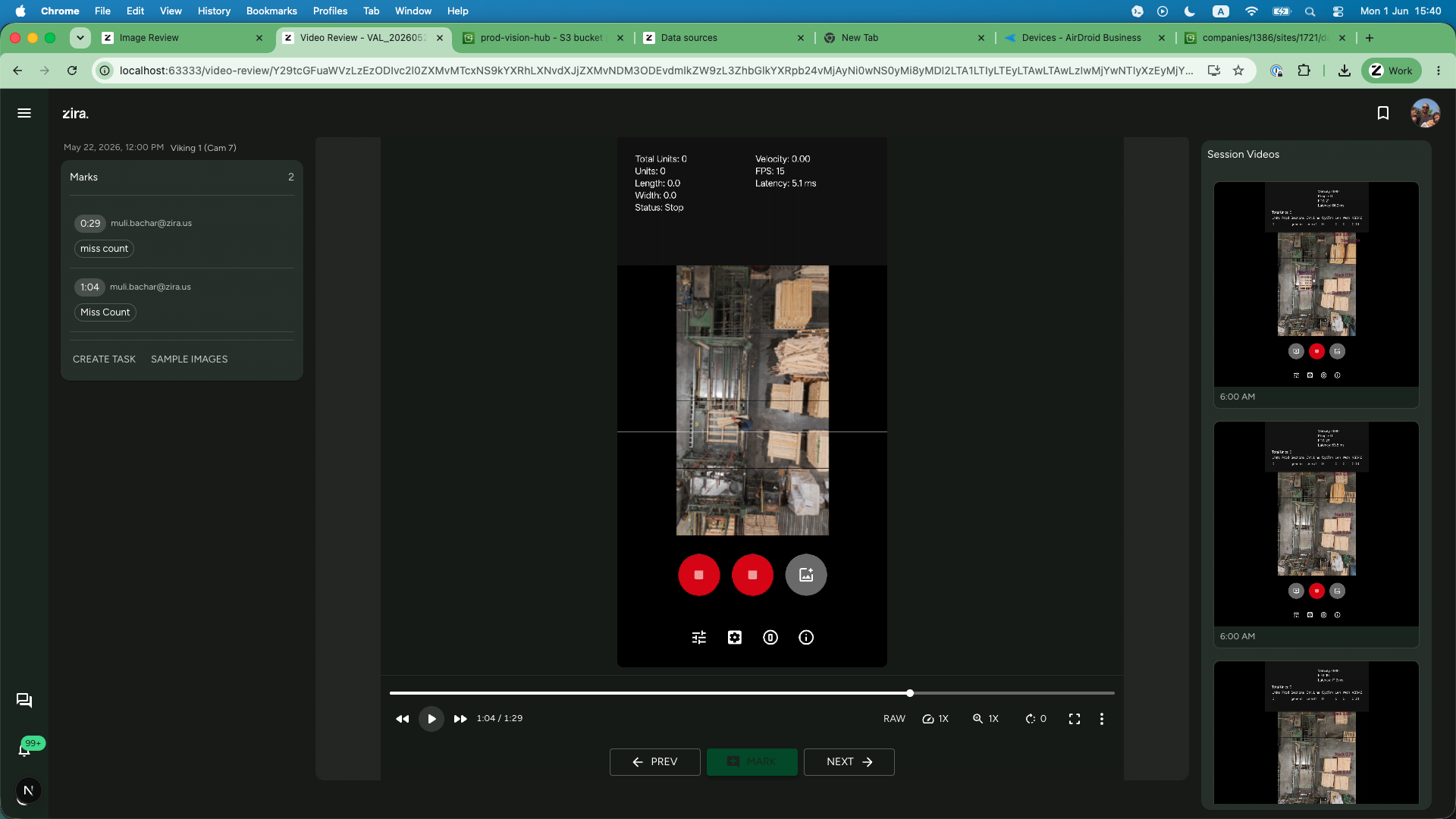
- Validation videos continue to use a dedicated review page built for playback and mark timing.
- The session gallery stays visible while you review.
- Marks remain attached to the exact moment in the clip, which makes follow-up conversations much easier.
Why this matters
- Teams can review one full session without jumping back and forth between pages.
- QA feedback is easier to capture in a way that others can understand later.
- Image and video review now feel more consistent, which makes training and support simpler.