
Authentication
Posts
API Reference
2 min read
Updated May 26, 2026
API Authentication
Understand the base URL, API key authentication model, and how to create and store an API key for Zira integrations.
Use this page when you need to authenticate a Zira integration and create a new API key for it.
Base URL
https://api.zira.us/public
Authentication model
All public HTTP endpoints in this SDK use API-key authentication.
Required header:
x-api-key: <your-api-key>
Notes:
- No login access token is required for these documented SDK endpoints.
- Some handlers internally exchange the API key for an authorization token when invoking other internal services.
Create an API key
Create the API key from a site channel. This flow is not created from the company-level docs area or from a normal developer settings page.
- Open Sites and select the site channel you want the integration to use.
- In that site channel, open the overflow menu and choose Applications.
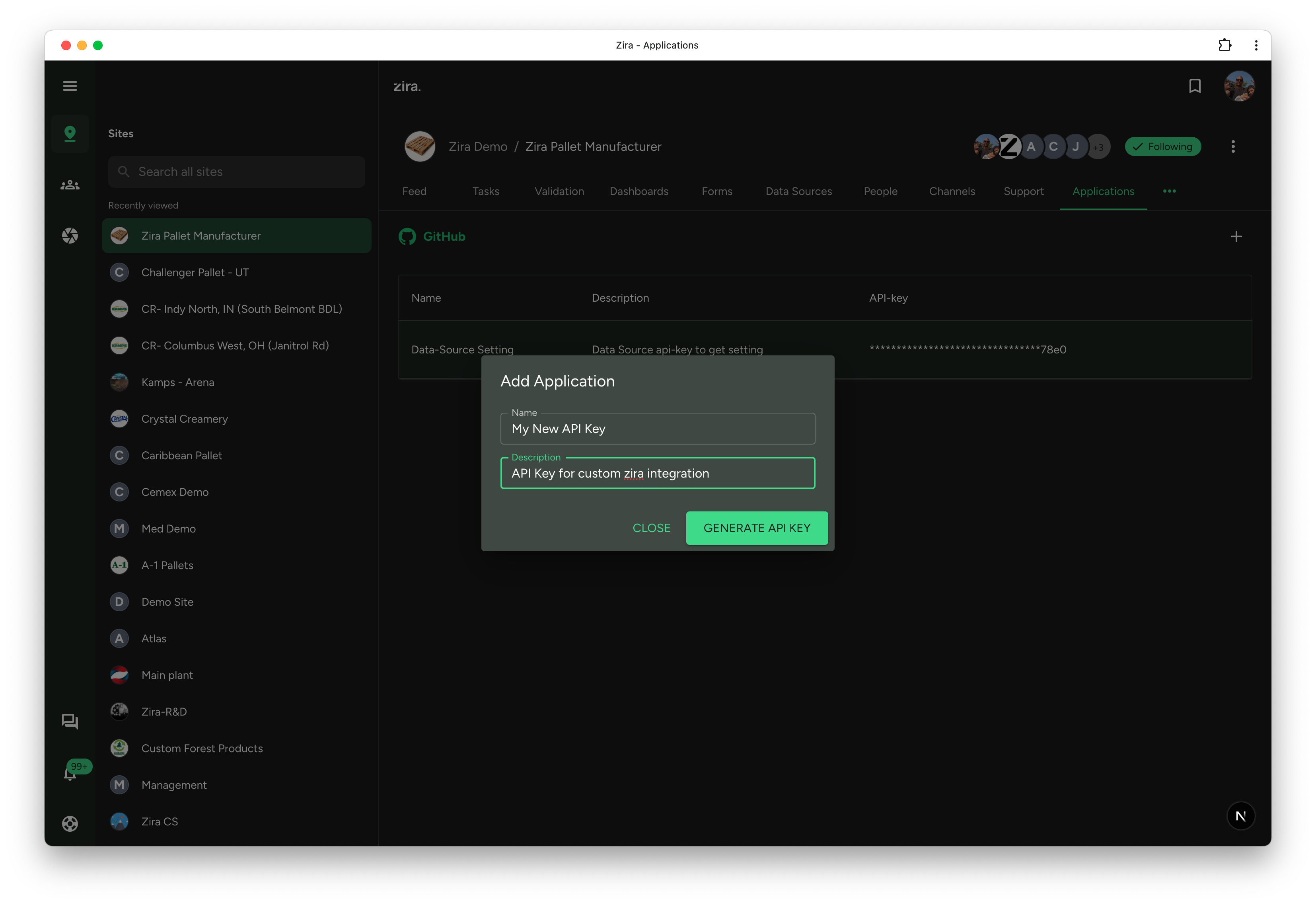
- On the Applications tab, click the add button in the top-right.
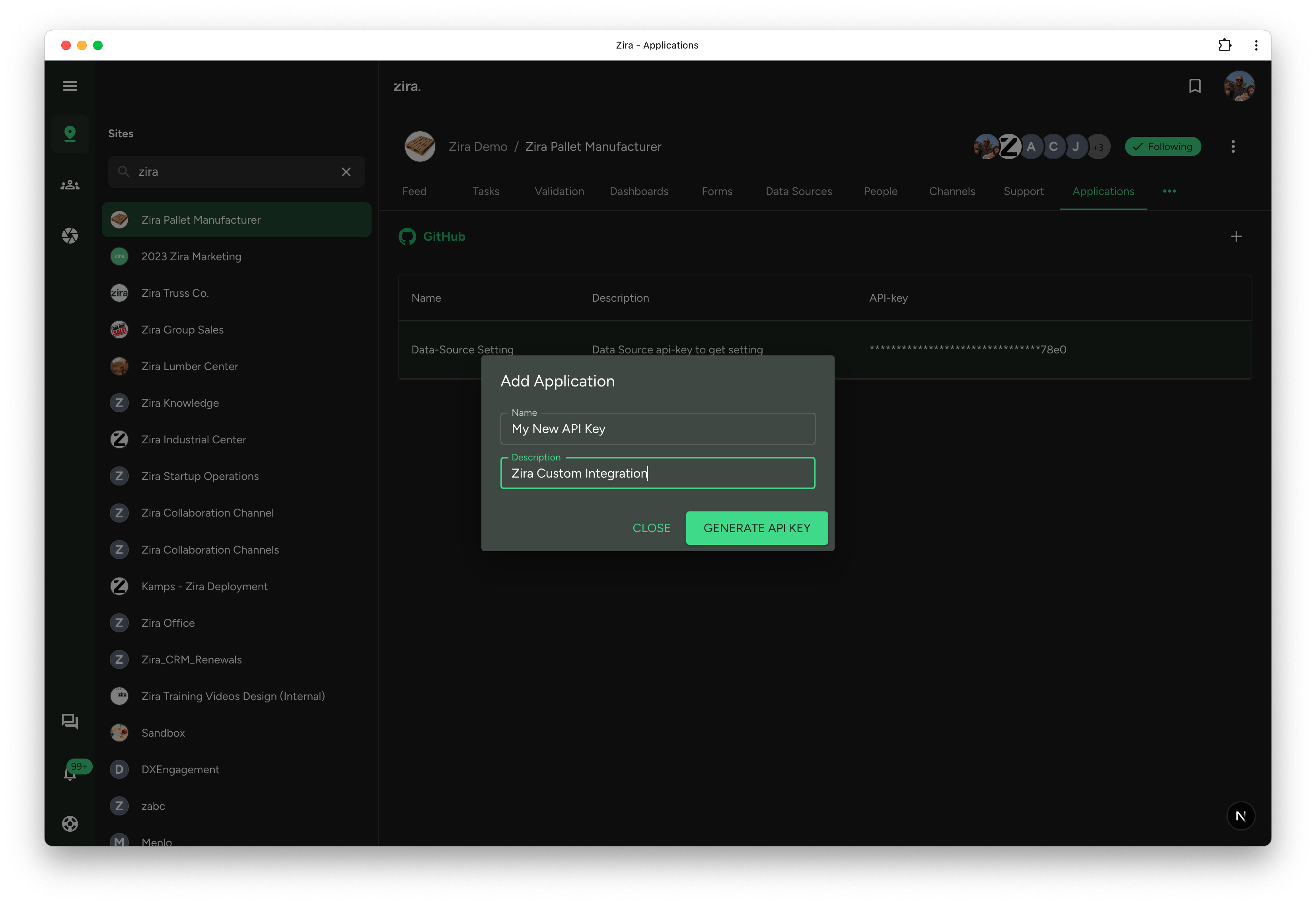
- Enter a clear application name and an optional description, then click Generate API Key.
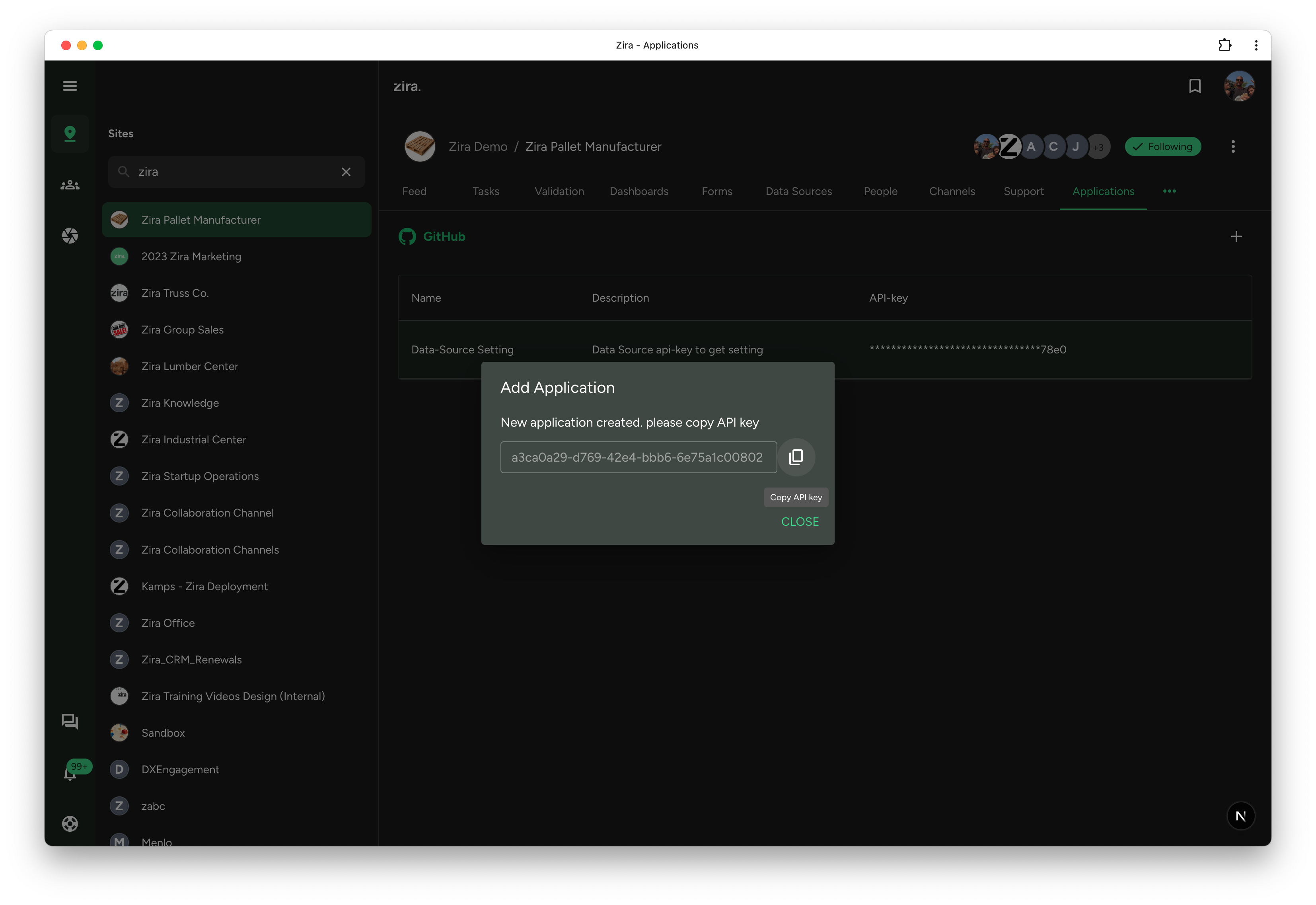
- Copy the API key from the confirmation dialog before closing it.
Important notes
- This action is done from the site channel where the integration belongs.
- The key is typically shown at creation time, so copy it immediately.
- The same API key can be reused across multiple data sources in the same integration setup when that fits your access model.
- Use a clear name so other developers know what the key is for.
- Remove unused keys to reduce clutter and risk.
Suggested usage
- Store the key in your team’s secret manager.
- Do not hardcode it in frontend code or commit it to the repository.
Common integration expectations
- Treat these endpoints as command or integration endpoints, not just thin CRUD wrappers.
- Some endpoints trigger side effects such as notifications or downstream processing.
- Validation rules can be strict, especially around time formats and metric mapping.