
Browse Guides
5 guides
3 guides
2 guides
13 guides
1 guide
9 guides
12 guides
2 guides
18 guides
1 guide
1 guide
1 guide
2 guides
1 guide
1 guide
1 guide
1 guide
1 guide
1 guide
1 guide
2 guides
2 guides
1 guide
AI Routing Assistant
Open the Routing tab, describe the routing logic you want, and let AI draft or refine stage-based routing rules in one side conversation.
Use AI Routing Assistant when you want to build routing faster without writing every rule by hand.
It helps you create a first draft from a customer spec, then keep refining the same draft from the same conversation.
Open AI Routing Assistant
- Open a supported vision data source.
- Click the Routing tab.
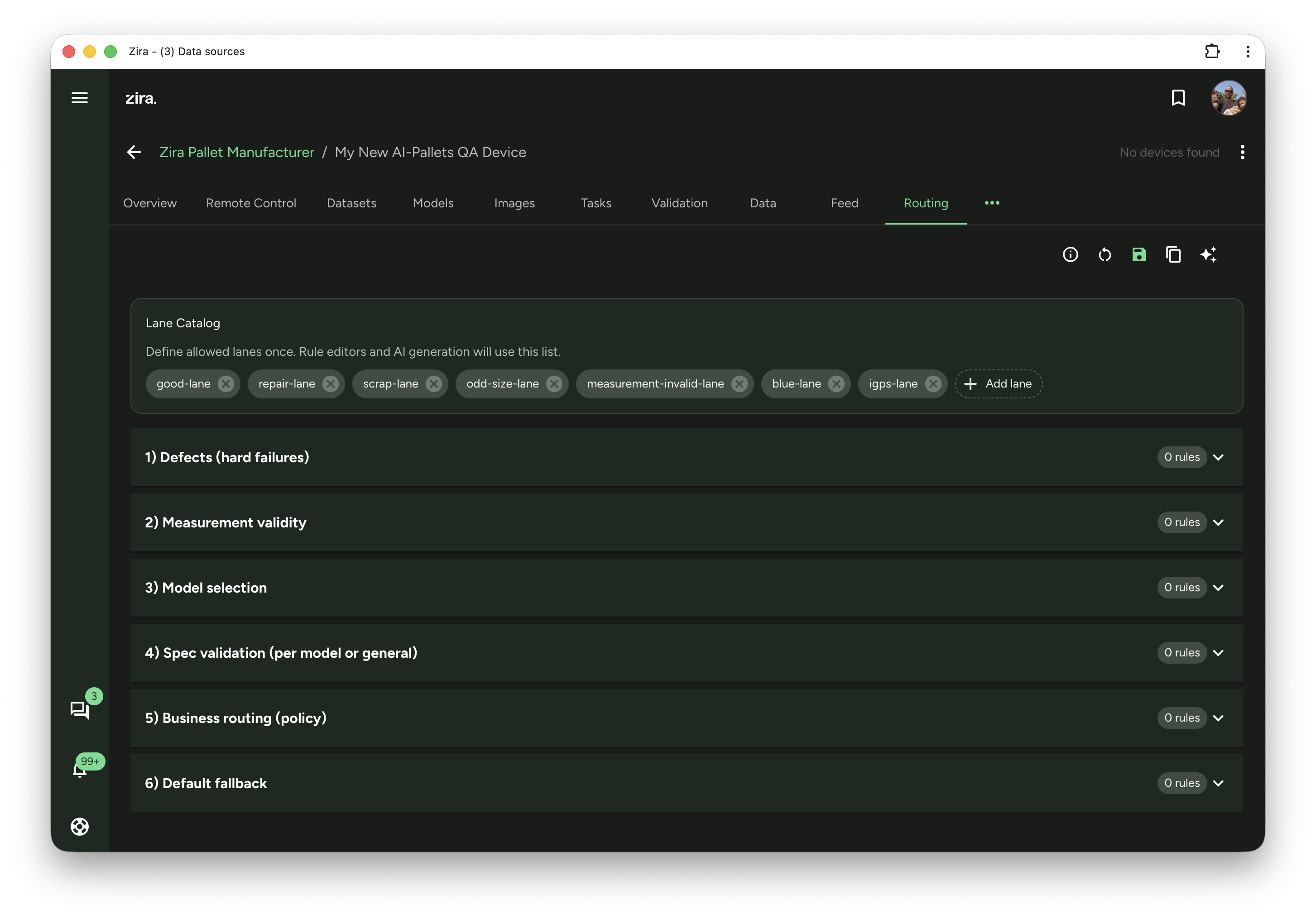
- Review the Lane Catalog first so the lane names are ready.
- Click the AI Assistant button in the top-right toolbar.
Start with the lane catalog
The assistant uses the lane names from Lane Catalog when it creates or updates routing.
Before you ask AI to help:
- add any lanes you know you will need
- remove old lane names you no longer want used
- keep the lane names clear and consistent
This makes the draft easier to review later.
Work in one conversation
When you open the assistant, it stays next to your routing stages so you can review the draft while you chat.
Use the same conversation for both jobs:
- create the first routing draft
- ask for follow-up changes after the draft is ready
You do not need to switch to a different assistant view after the first draft is ready.
Create the first draft
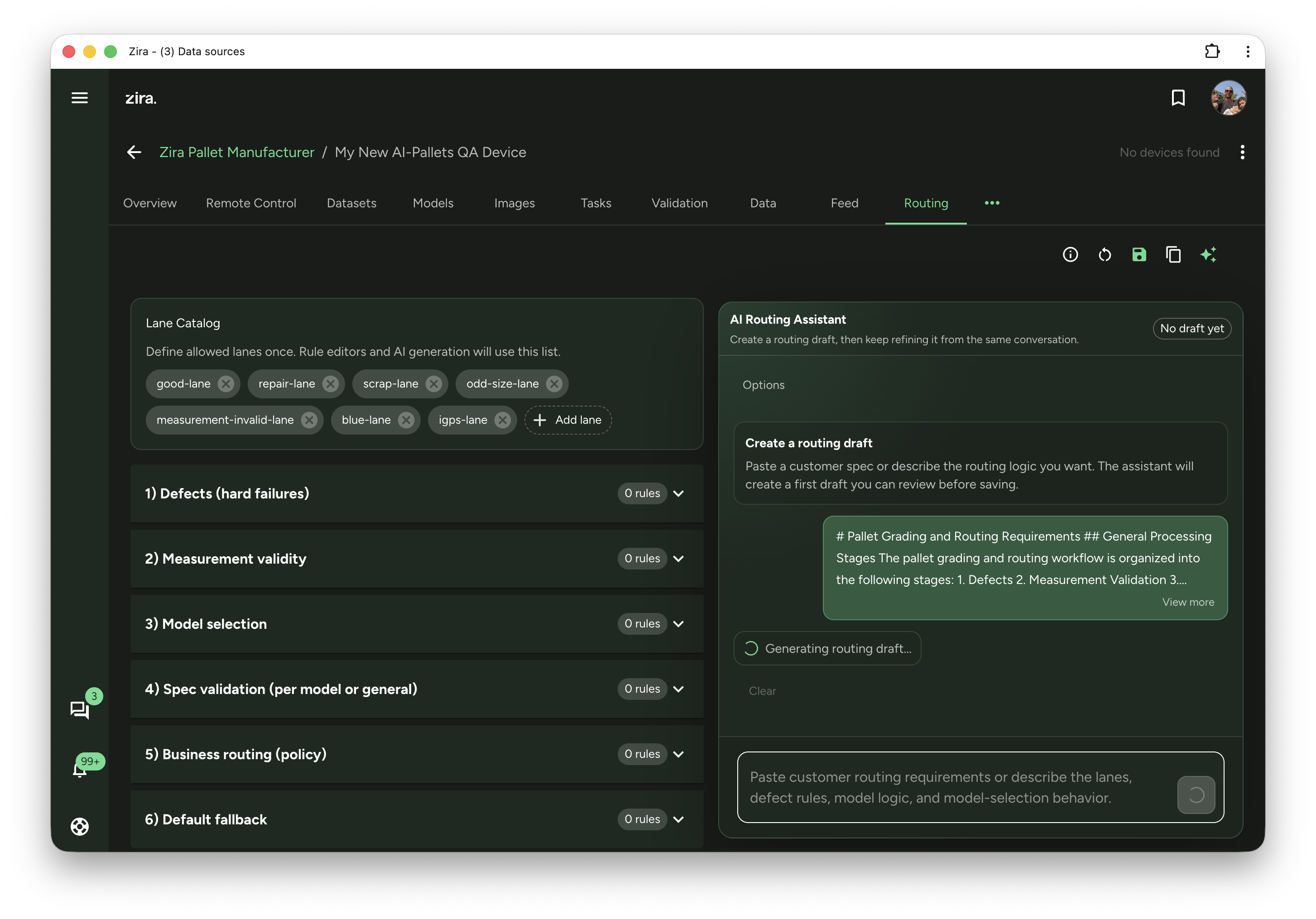
Paste a customer spec or describe the routing logic you want in plain language.
Good requests usually mention:
- the lane names
- defect rules
- measurement or spec checks
- model selection logic
- business routing rules
- the fallback behavior
Examples:
- Route broken pallets to scrap-lane and keep good pallets in good-lane.
- If measurements are invalid, send the pallet to measurement-invalid-lane.
- Use model selection before spec validation.
- Keep business rules after spec validation.
After you send the request, your message appears in the conversation right away and the assistant starts preparing a draft.
Review the draft before applying it
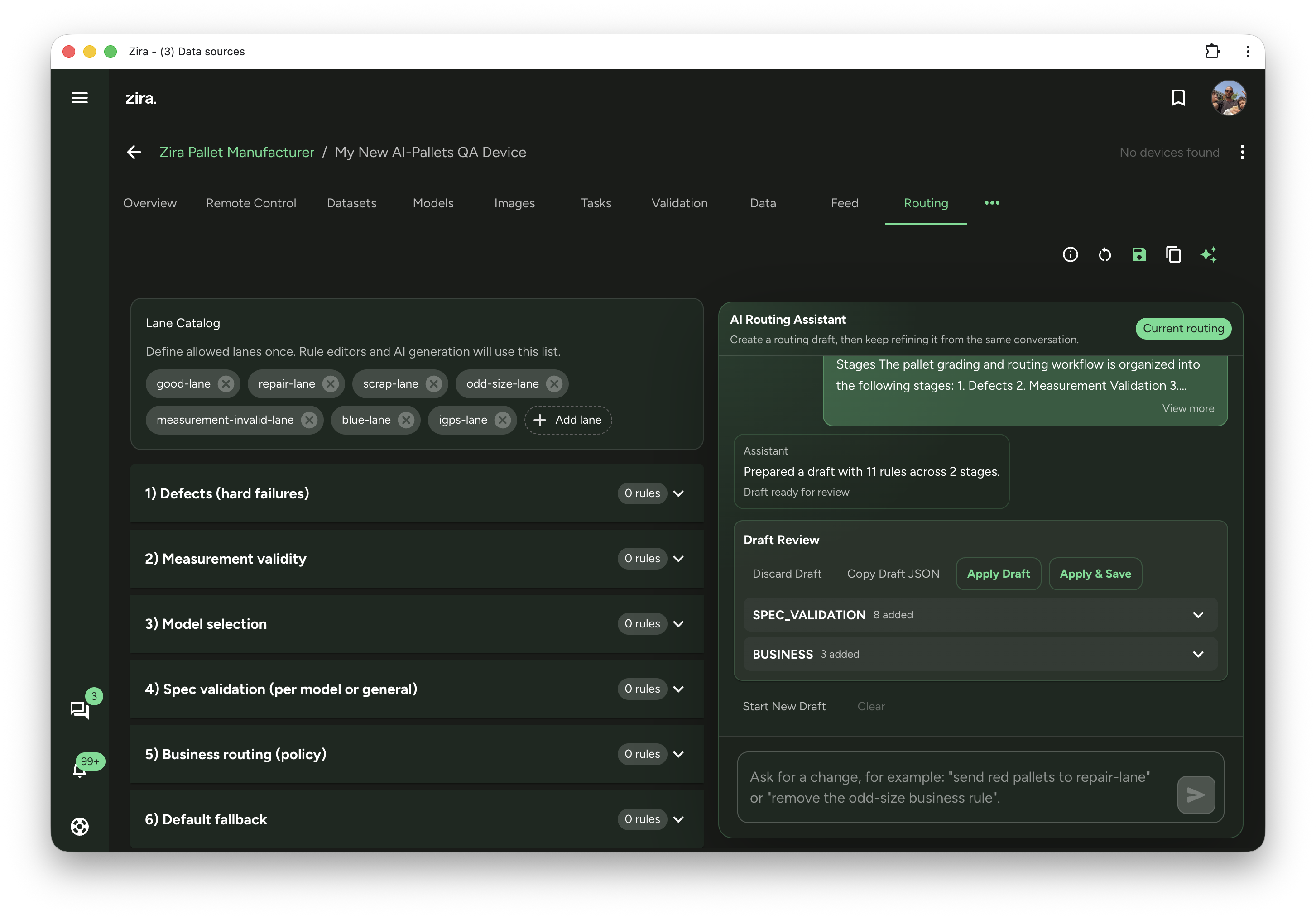
When the draft is ready, use Draft Review to check what the assistant created.
You can:
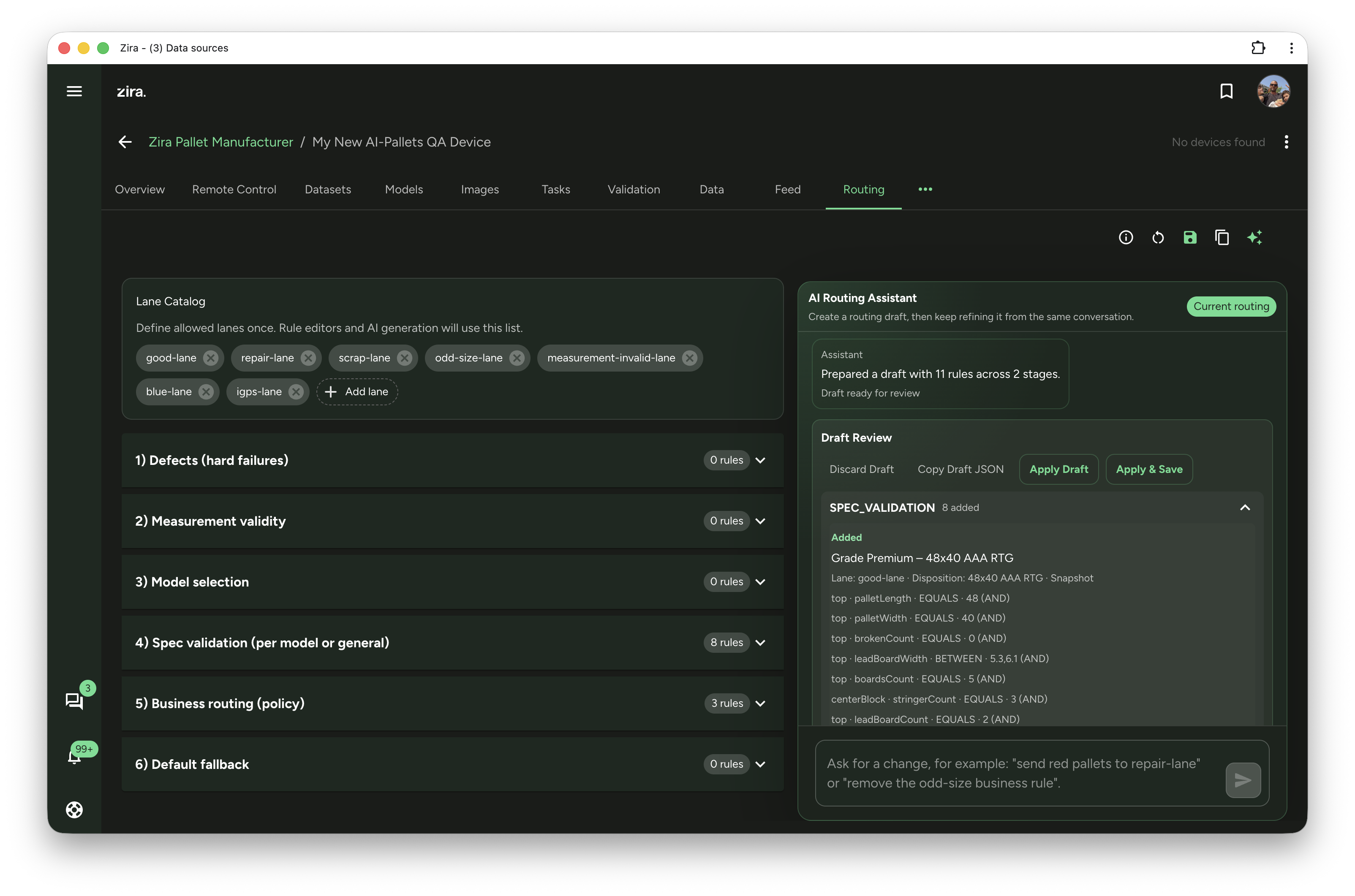
- expand a stage to inspect the drafted rules
- review the lane, disposition, and conditions
- copy the draft JSON if you want to compare it elsewhere
- discard the draft and try again
If the draft looks good:
- Click Apply Draft to load it into the routing editor first.
- Click Apply & Save when you are ready to save it.
Ask for changes after the draft is ready
Keep using the same conversation box under the draft review.
This works well for follow-up requests like:
- send red pallets to repair-lane
- remove the odd-size business rule
- tighten one spec validation rule
- add a new exception for one customer or pallet type
You do not need to paste the full routing policy again unless you want to start over.
Start over when needed
Use Start New Draft when you want the assistant to stop working from the current routing and create a fresh draft instead.
This is useful when:
- the current routing has drifted too far from the original goal
- the customer policy changed a lot
- you want a clean draft based on a new set of instructions
Keep the final review simple
AI can save a lot of time, but the final routing still deserves a quick manual check.
Before you save, review:
- lane names
- stage order
- rule conditions
- dispositions
- fallback behavior
This helps you catch anything that should be tighter, simpler, or more explicit.
Read next
- Routing - Full routing workflow, lane catalog, stage editing, and manual rule changes.