
Browse Guides
5 guides
3 guides
2 guides
13 guides
1 guide
9 guides
12 guides
2 guides
18 guides
1 guide
1 guide
1 guide
2 guides
1 guide
1 guide
1 guide
1 guide
1 guide
1 guide
1 guide
2 guides
2 guides
1 guide
Custom Data Source
Create a custom data source when you want to build the title, fields, and structure yourself.
Use Custom when you want full control over the data source structure.
This is the best option when you already know which fields you need and want to build the setup yourself instead of starting from a prebuilt AI template.
Start a custom data source
- Open a channel.
- Click the Data Sources tab.
- Click Add Data Source.
- Choose Custom.
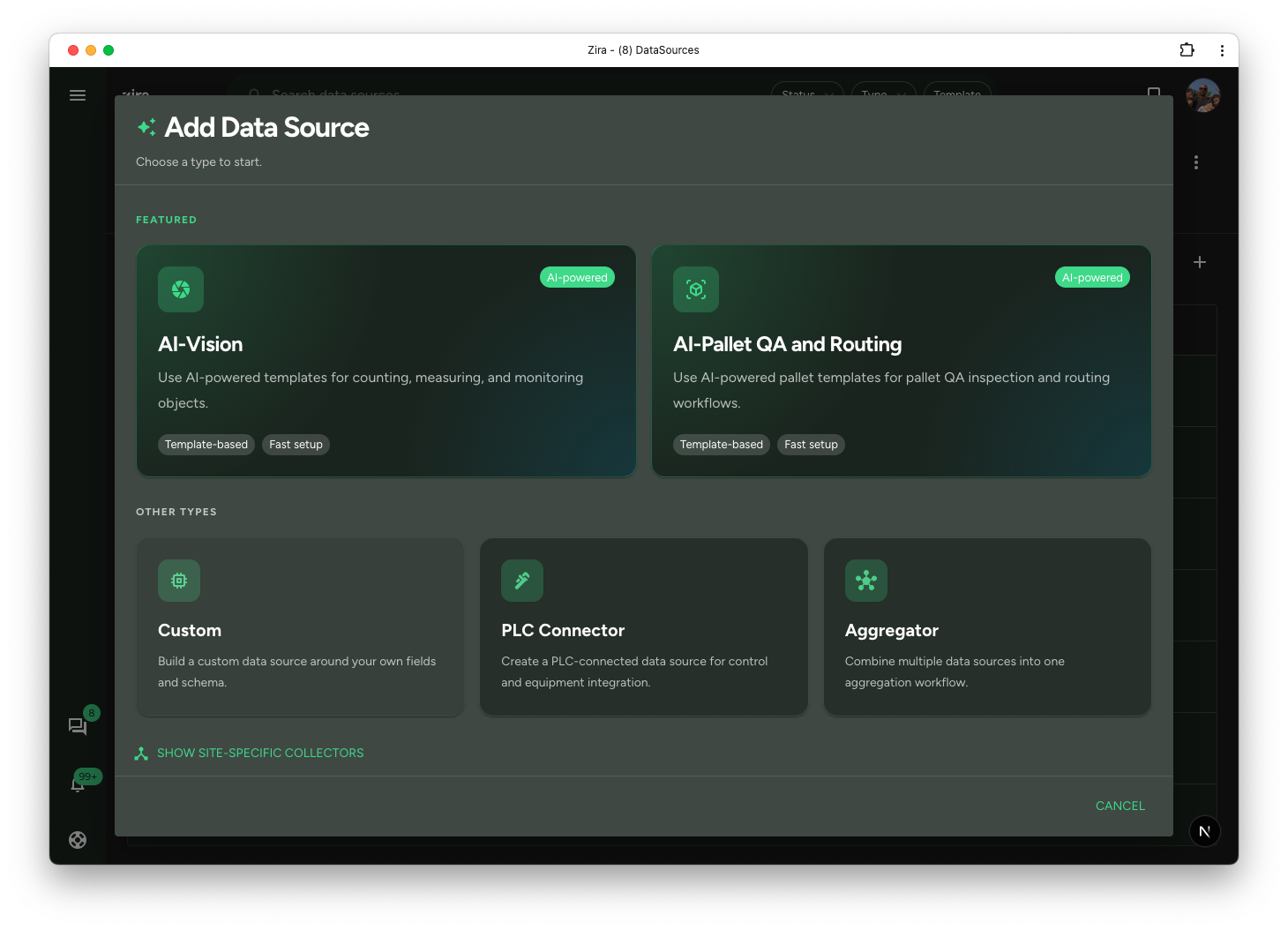
Build the structure
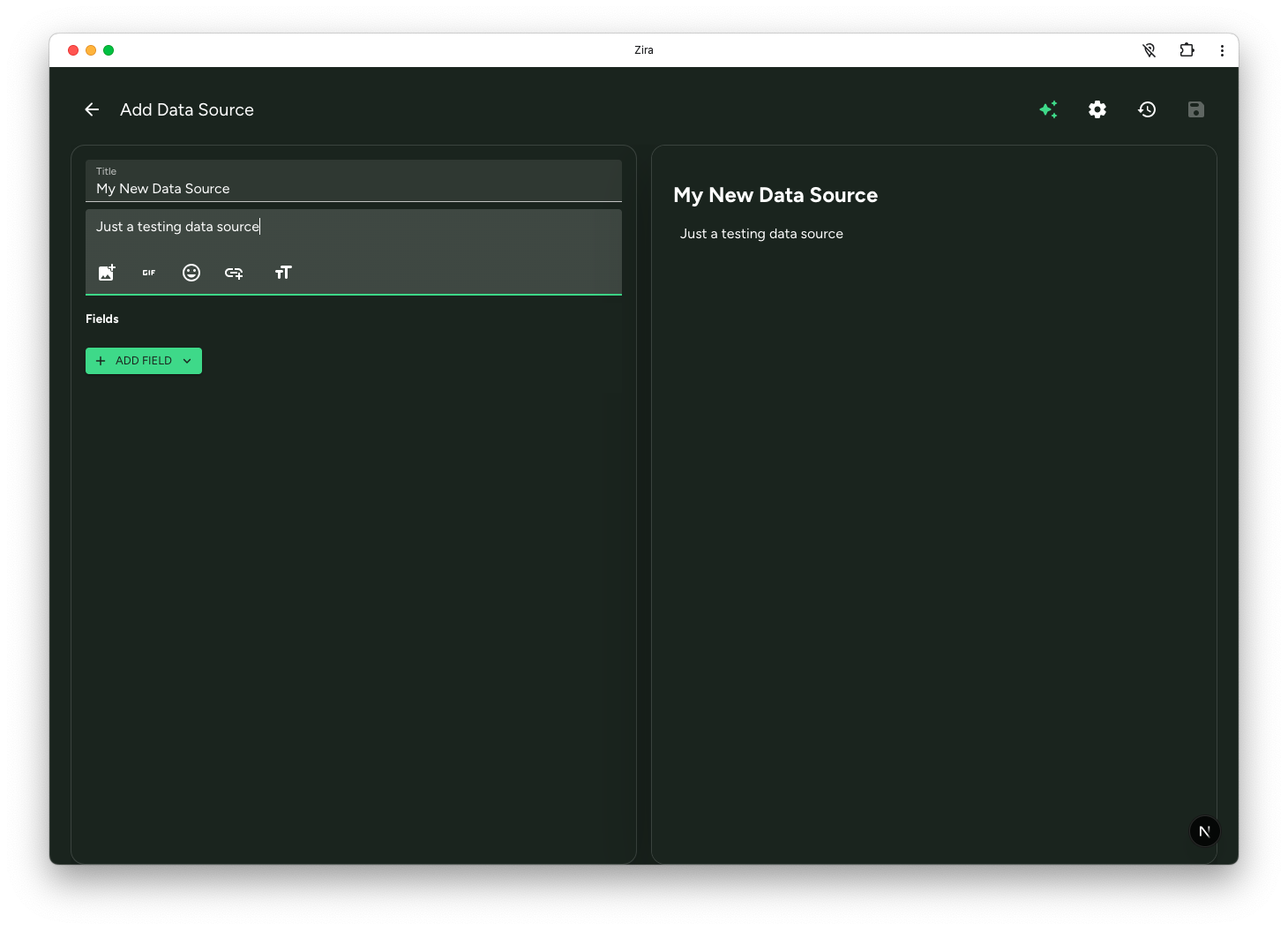
The shared editor opens so you can:
- enter the title
- add a description
- use Add Field
- review the preview while you work
Review the fields you are creating
As you add fields, the editor shows the field settings on the left and the live result on the right.
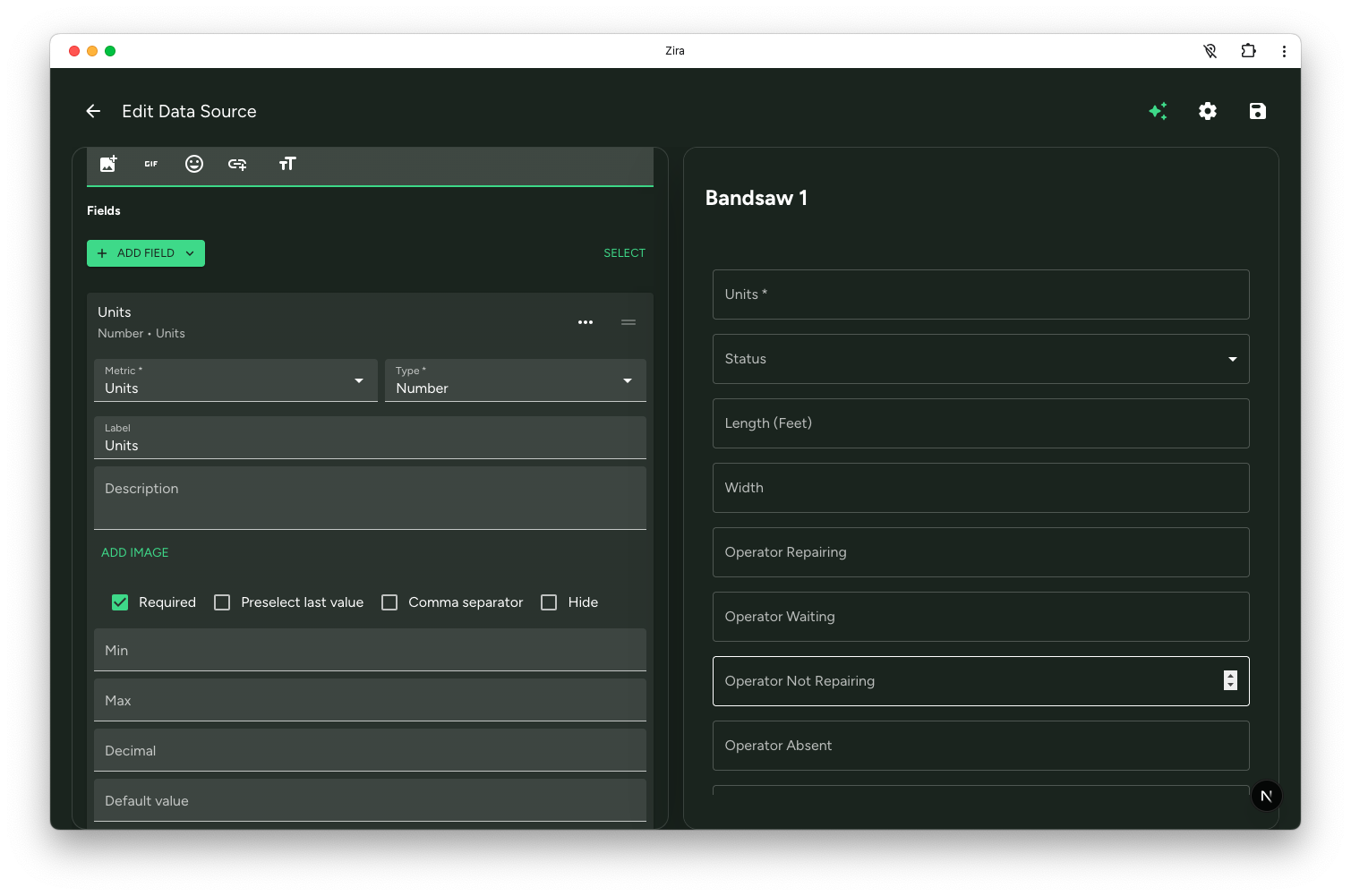
This makes it easier to shape the form as you go and confirm that the fields will look right for the people filling it out.
Use AI if you want a faster first draft
If you do not want to start from a blank structure, open AI Assist and describe the data source you want. Zira can draft the first version for you before you refine it.
Read next
- Create and Edit - Learn the shared editor in more detail.
- AI Assist - Generate a first draft with AI.
- Fields and Structure - Add and organize the fields.