
Browse Guides
What Is Zira
Account Access
5 guides
Profile Preferences
3 guides
Navigation
2 guides
AI Vision
13 guides
AI Agents
1 guide
AI Assistance
9 guides
Data Sources
12 guides
Forms
2 guides
Dashboards
18 guides
Install the Zira App
Chat
1 guide
Feed
1 guide
Tasks
1 guide
People
2 guides
Documents
1 guide
Applications
1 guide
Support
1 guide
Scheduler
1 guide
Triggers
1 guide
Inventory
1 guide
TVs
1 guide
Operations App
2 guides
TV App
2 guides
Channels
1 guide
1 min read
Updated June 18, 2026
Dataset Page
Open a dataset to see its images and work on them in one place.
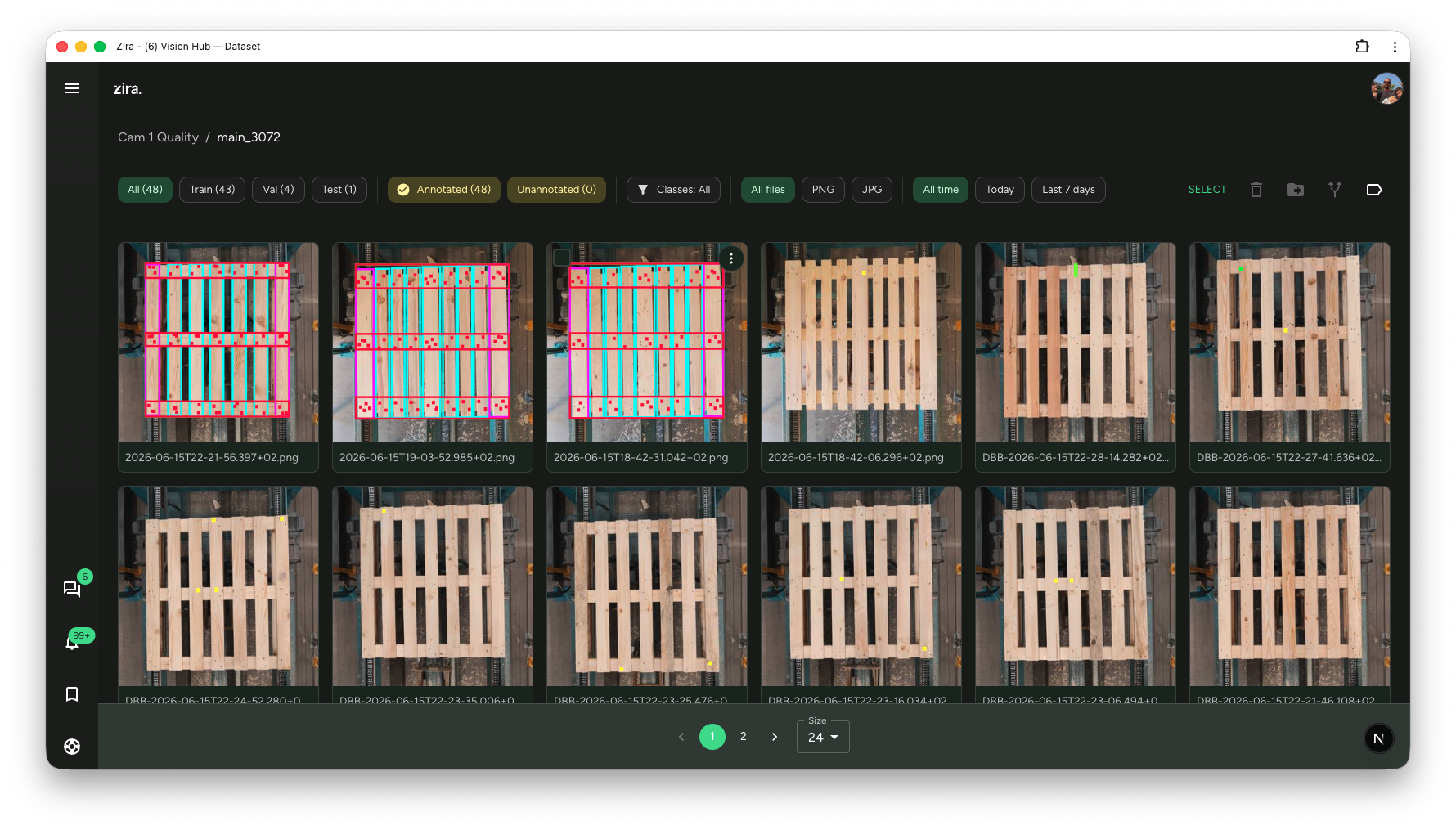
Open Datasets, then click a dataset to open it.
This page is where you work with the images inside that dataset.
What you can do here
- see all images in the dataset
- use the filters at the top to find what you need
- click an image to open it
- select one or more images
- move images between Train, Val, and Test
- move images to another dataset
- manage labels
Filters
Use the filters at the top to quickly narrow the list:
- All, Train, Val, Test
- Annotated and Unannotated
- Classes
- All files, PNG, JPG
- All time, Today, Last 7 days
Bottom bar
Use the bottom bar to move between pages and choose how many images to show.