
Browse Guides
5 guides
3 guides
2 guides
13 guides
1 guide
9 guides
12 guides
2 guides
18 guides
1 guide
1 guide
1 guide
2 guides
1 guide
1 guide
1 guide
1 guide
1 guide
1 guide
1 guide
2 guides
2 guides
1 guide
Create a Dashboard
Create a dashboard from the dashboards list, choose its basic settings, attach data sources, and open it for the first time.
Create a dashboard when you want a new operational view for data, tasks, feed activity, or AI-driven insights.
Start from the dashboards list
Open the channel where you want the dashboard to live, then open Dashboards.
This page shows the dashboards that already exist in that channel.
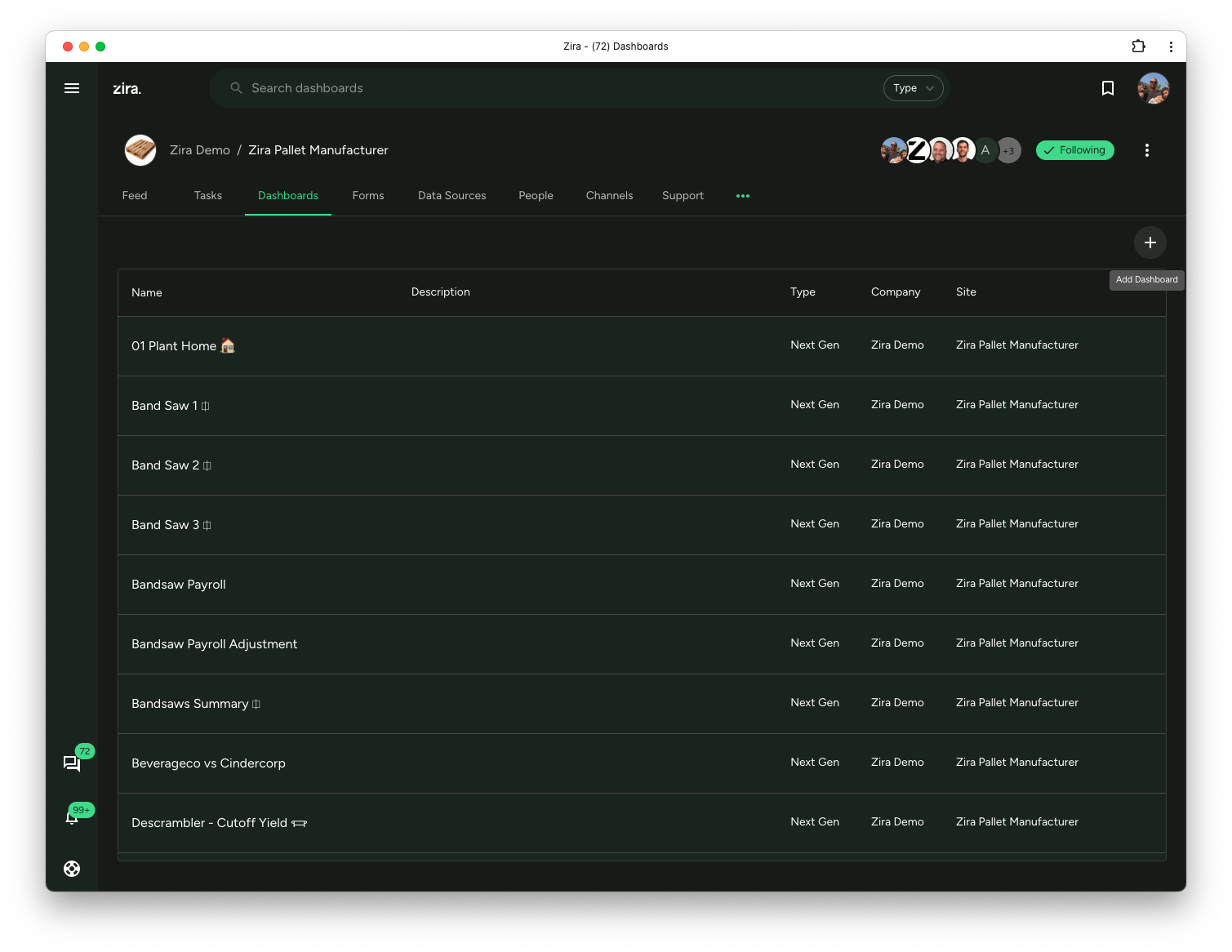
Start a new dashboard
You can create dashboards from the Dashboards tab of a channel.
- Open a channel.
- Click the Dashboards tab.
- Use the add action.
- Choose to create a new dashboard.
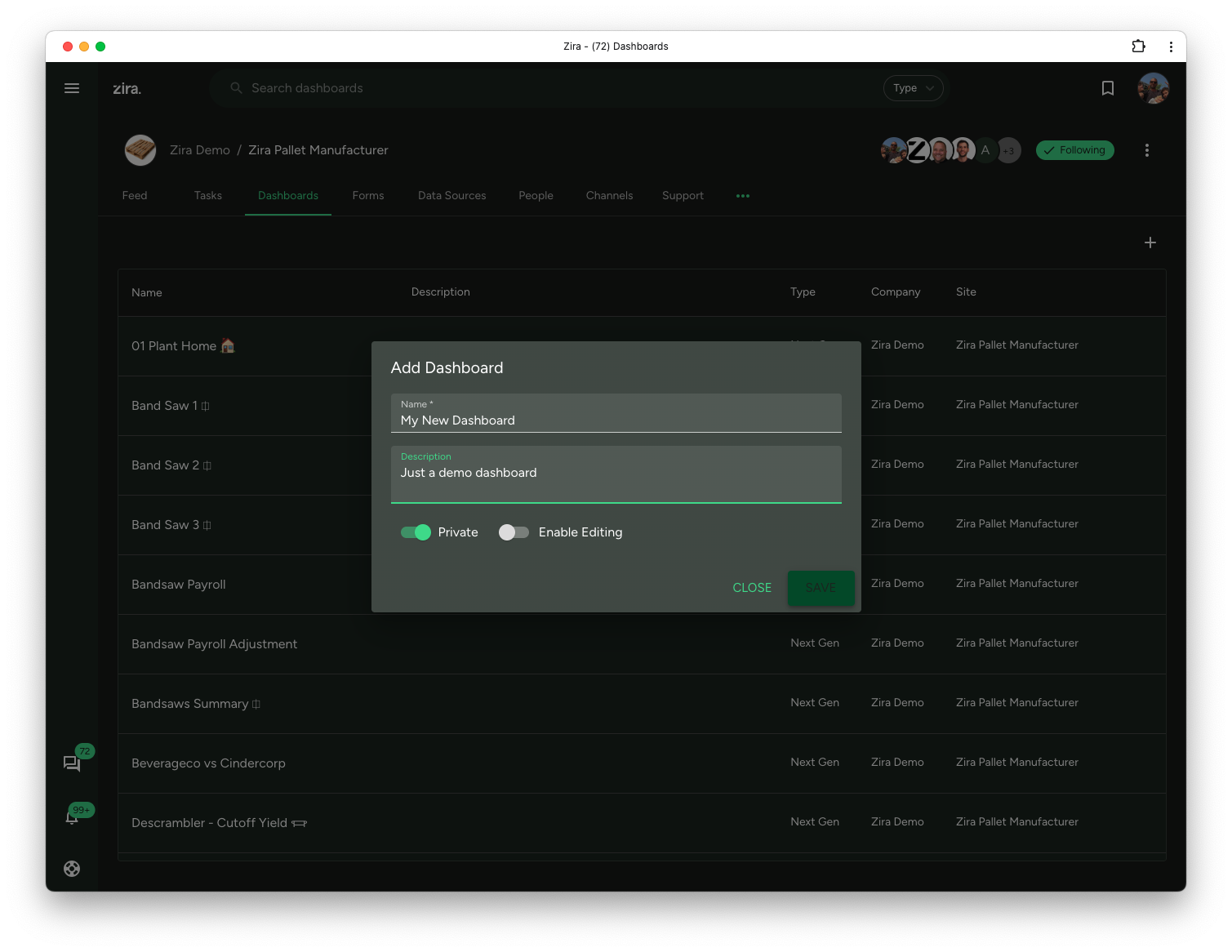
Fill in the dashboard details
When the create dialog opens, complete the main setup:
- Enter the dashboard Name.
- Add an optional Description.
- Decide whether the dashboard should be Private.
- Decide whether Enable Editing should be on.
- Click Save.
Keep the name clear and practical so the dashboard is easy to recognize later.
Attach the data sources you want to use
After the dashboard opens, you can choose which data sources should be available inside it.
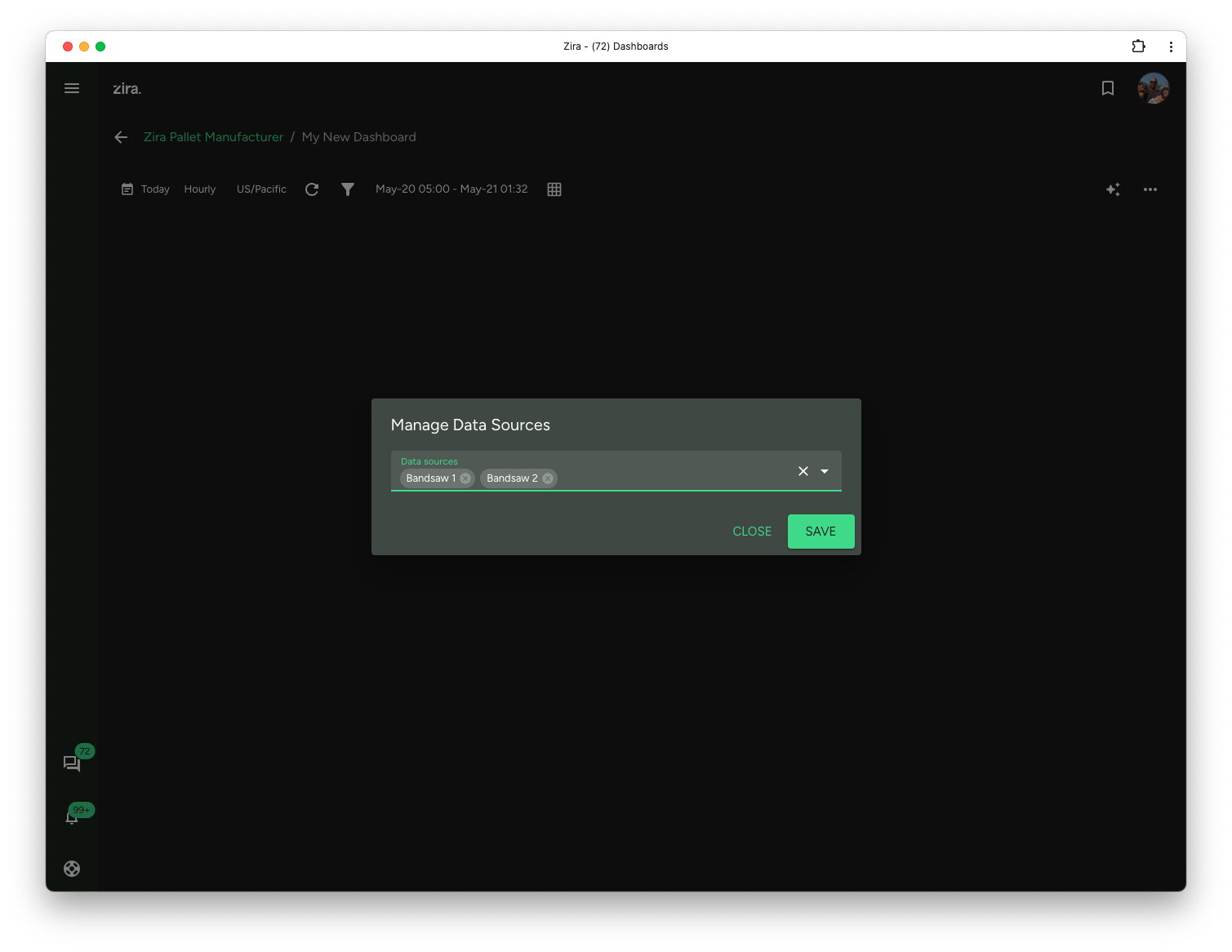
This is especially helpful when the dashboard should compare more than one line, device, or source in the same view.
Choose a useful default time range
The default time range affects how widgets open the first time.
Choose a range that matches the dashboard purpose.
Examples:
- a recent range for live operational dashboards
- a wider range for trend and reporting dashboards
What happens next
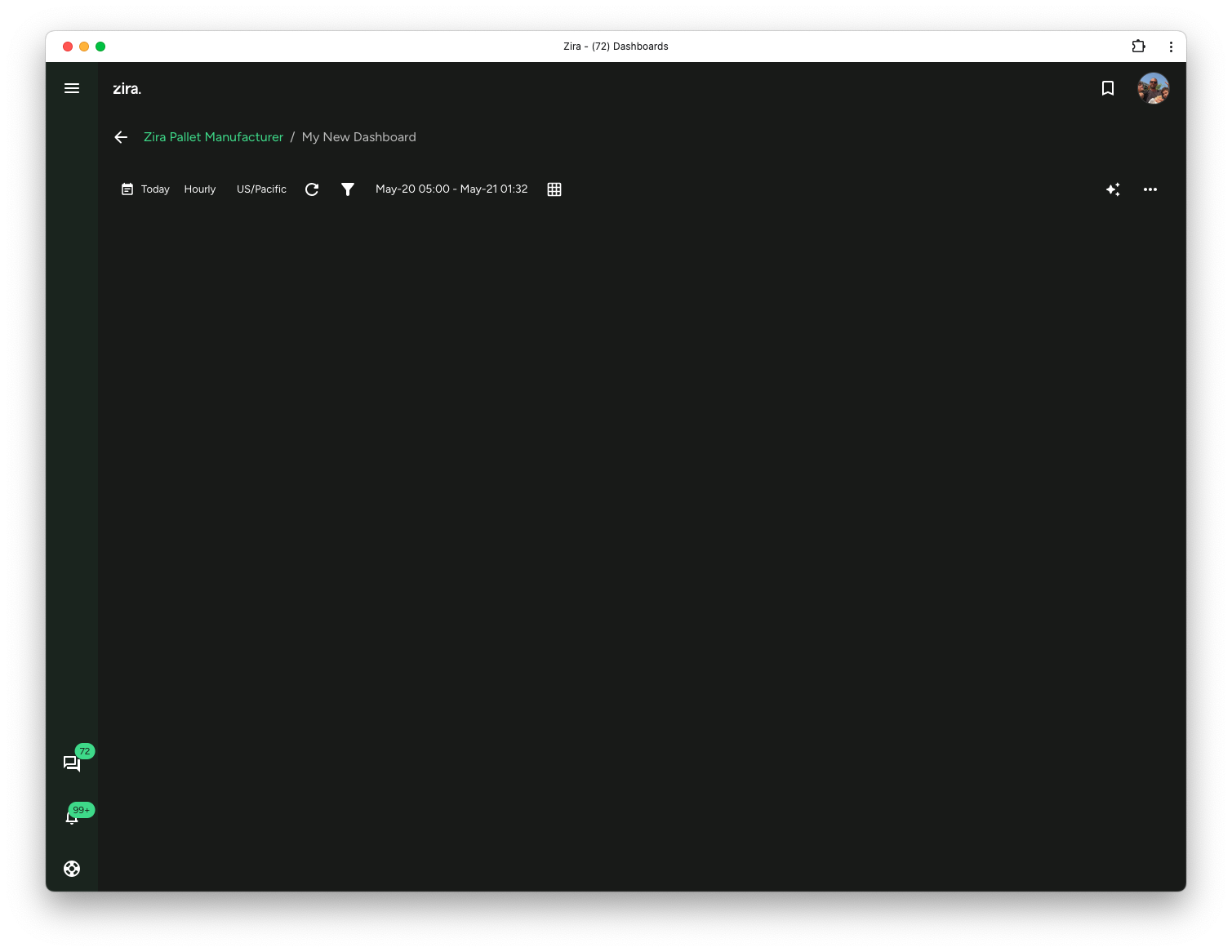
After the dashboard is created:
- it opens with its dashboard toolbar
- you can add widgets
- you can use the AI build flow if you want to add widgets, change layout, or shape the dashboard with plain-language requests
- you can adjust the layout
- you can return later and edit the dashboard settings
Read next
- AI Dashboard Builder - Add widgets, change layout, and update the dashboard with AI.
- Layout and Editing - Arrange the dashboard page.
- Data Research Widgets - Choose the right first chart or KPI widgets.