
Zira AI Assistant and UI Refresh
Zira Web now feels easier to learn and faster to use, with stronger AI creation flows, cleaner navigation, a clearer Vision workflow, a better Help experience, and smoother day-to-day setup across dashboards, forms, and data sources.
This release brings together the biggest Zira Web improvements in one place: AI can help you create faster, navigation is cleaner, Help is easier to use, and Vision workflows now connect more clearly from setup through validation.
Create faster with AI
AI is now a more practical starting point when you need to build something instead of starting from a blank screen.
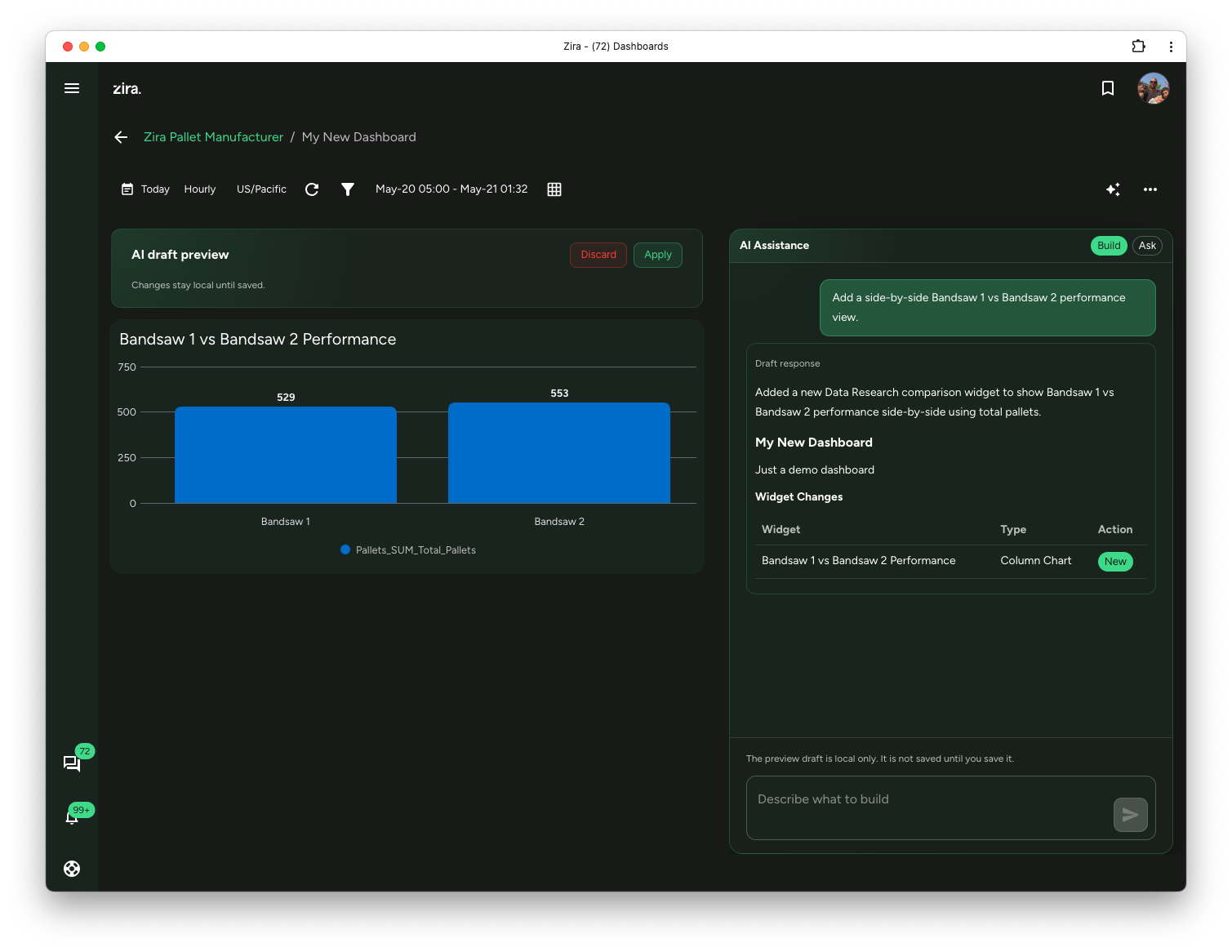
- AI Dashboard Builder can draft widgets, layout, and structure from a plain-language request.
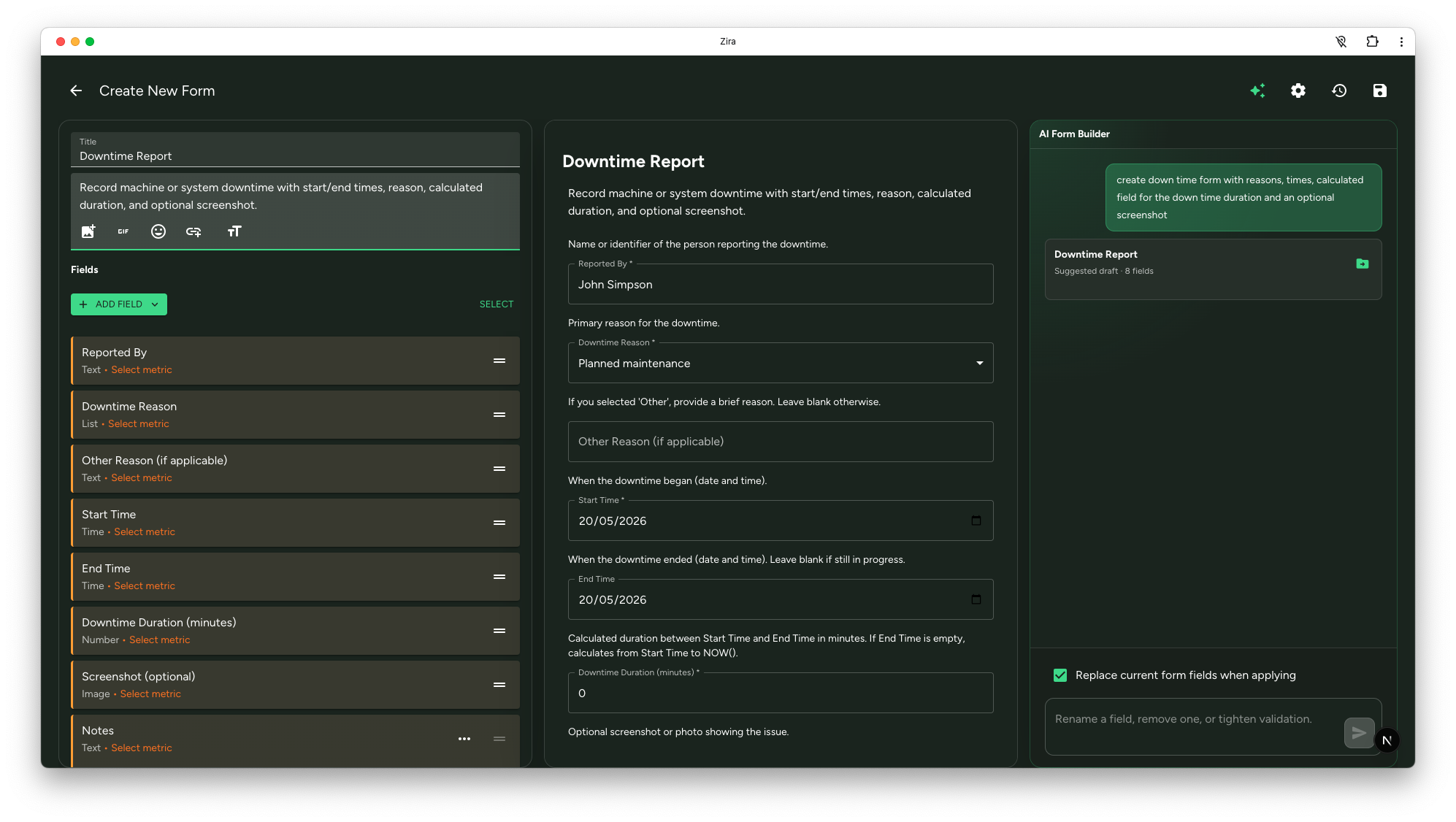
- AI Form Builder can generate fields, options, validation, and calculated structure for forms and custom data sources.
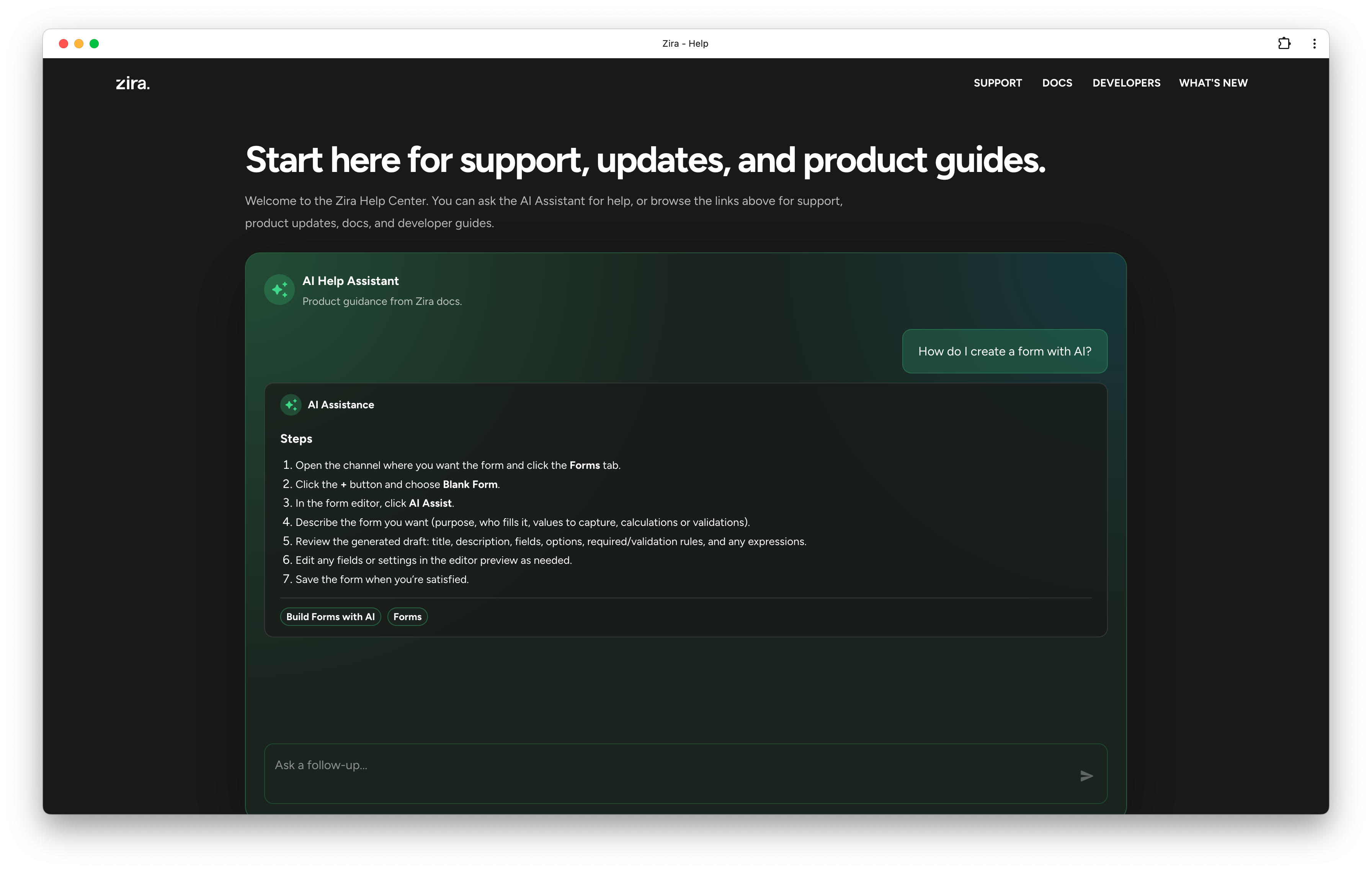
- AI Help Assistant can answer product questions and point you to the right guides without making you search first.
Related guides:
Navigation is calmer and easier to scan
The main app frame has been refreshed so common actions are easier to find without feeling crowded.
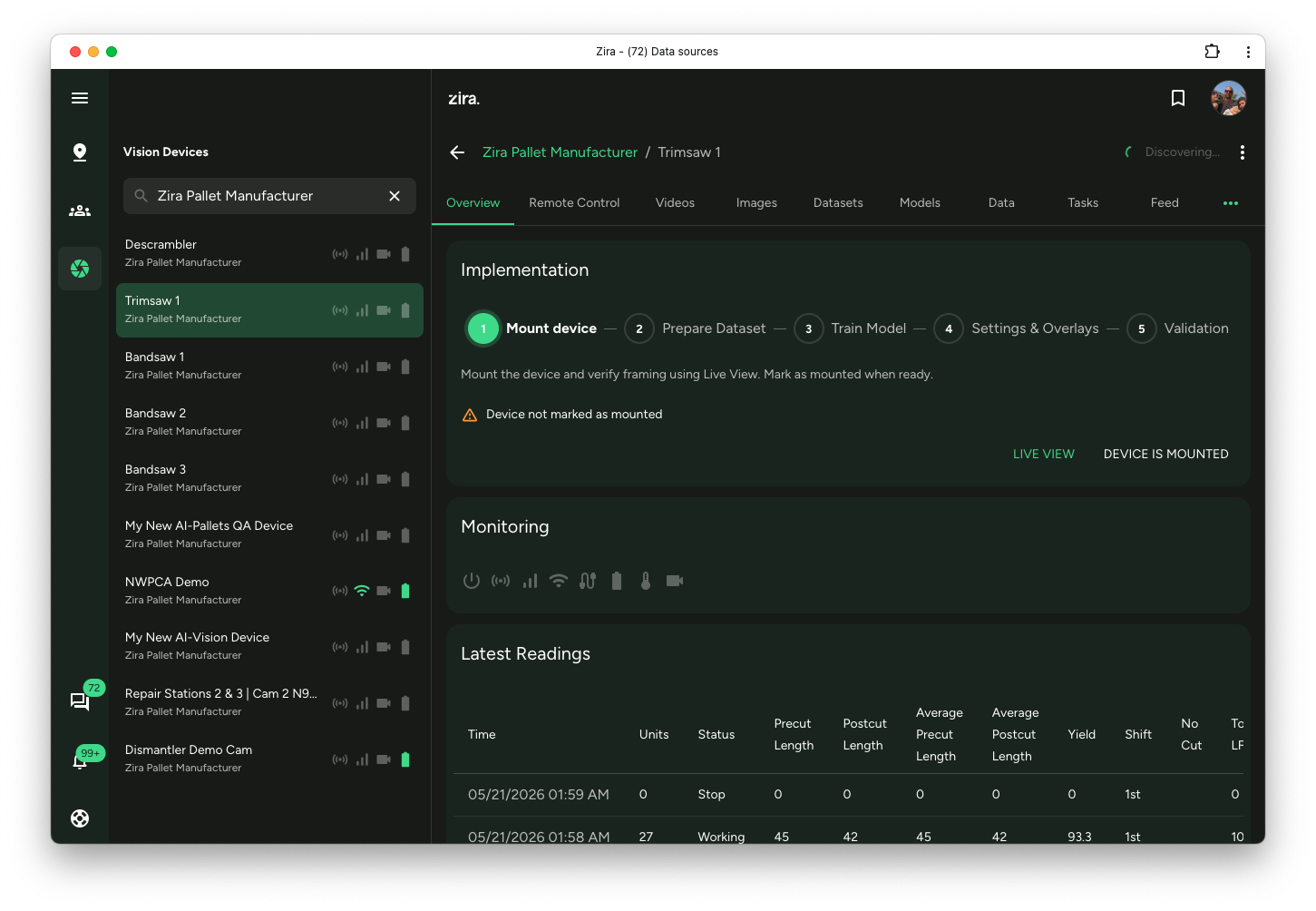
- The left sidebar uses a cleaner layout.
- Search now sits inline inside the sidebar list where it is needed.
- The top app bar is simpler, with page search and account actions easier to spot.
- Help and other common destinations are easier to reach when something looks unfamiliar.
Related guides:
Home and Help now work better as starting points
Zira is easier to personalize and easier to learn when you first arrive.
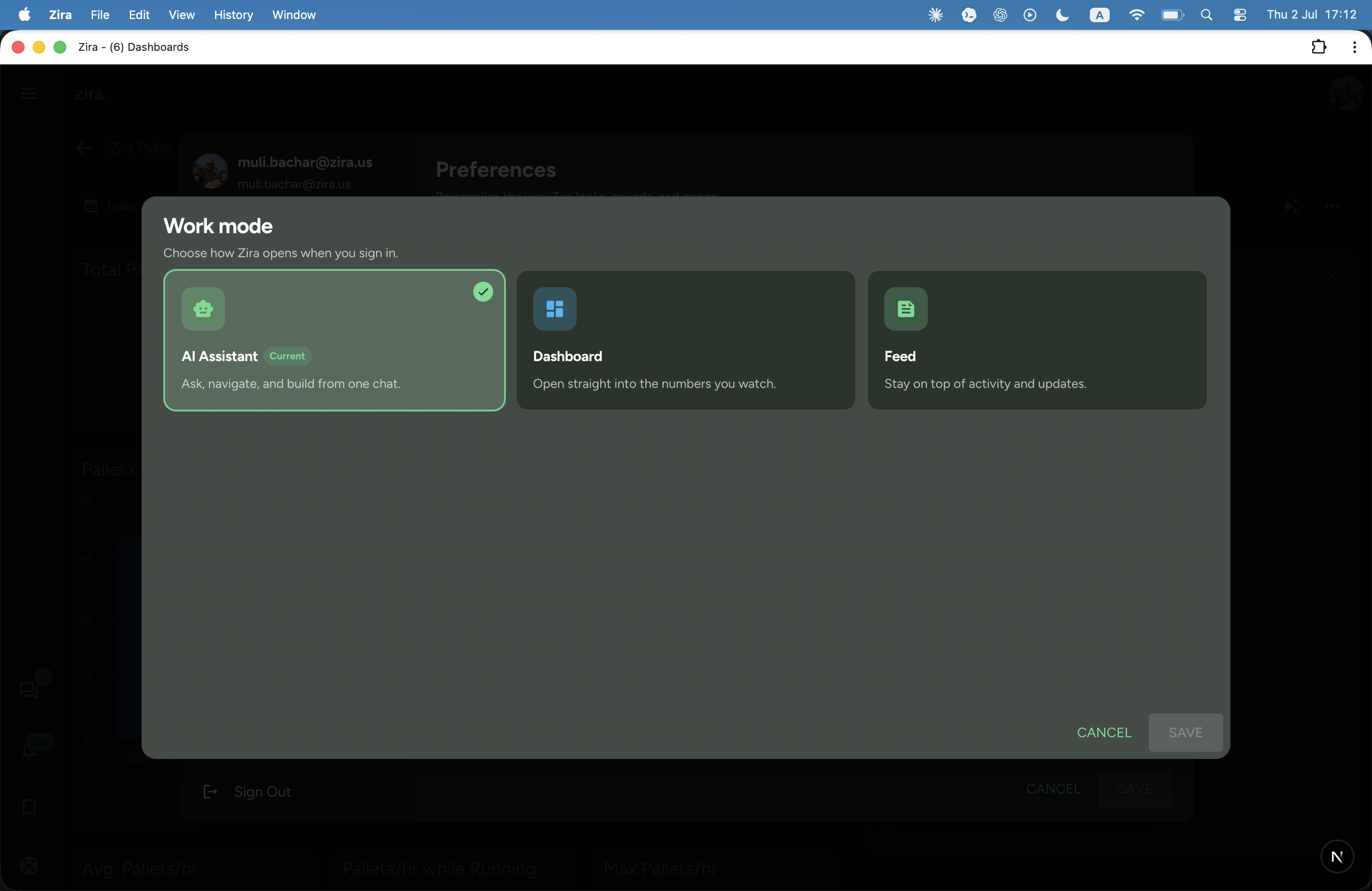
- You can set a dashboard as your personal home page so Zira opens directly into the workspace that matters most to you.
- The Help Center gives you one place for docs, product updates, support paths, and the AI Help Assistant.
Related guides:
Vision workflows are more end to end
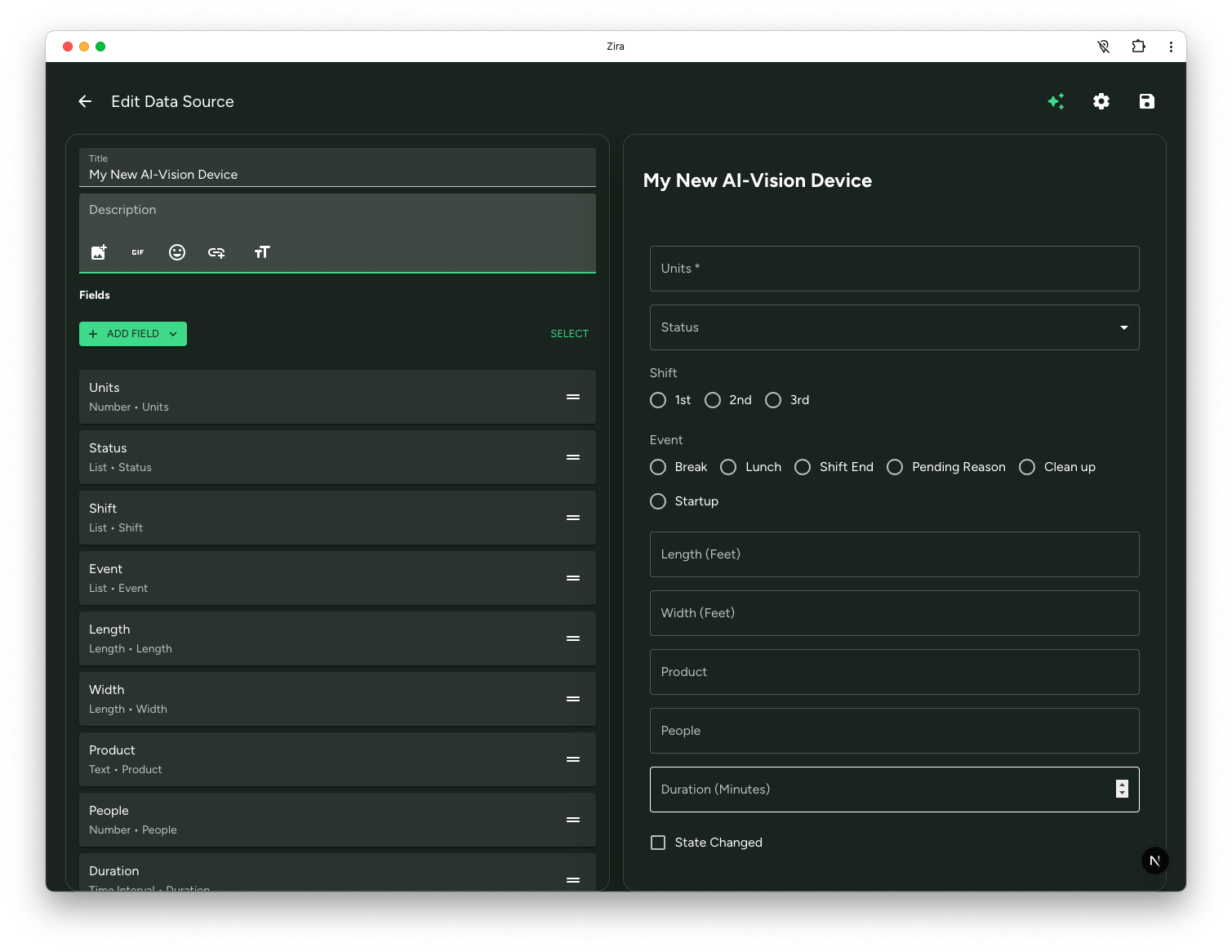
The Vision experience is easier to follow from setup through validation instead of feeling like separate disconnected steps.
You can now move more clearly through this flow:
- Create and pair an AI-Vision data source.
- Use Remote Control to collect sample images or validation videos.
- Organize images into Datasets and manage dataset versions.
- Start training from a dataset version and review results through Models.
- Use Videos and Tasks to work through validation and follow-up activity.
Related guides:
Everyday work should feel smoother
This release also improves the smaller moments that shape daily work:
- chat creation and messaging feel lighter and more direct
- dashboard and data-source setup flows are more guided
- form filling from image or text helps you start from a draft instead of entering everything manually
If you are returning to Zira after a short break, the fastest path is to open Help, ask the AI Help Assistant what changed, and follow the linked guides from there.